If you forget your UNIS password, you can follow the steps below to change it:
1. Right-click on your Start button to open the WinX Menu. Select Run. This opens the Run box. Now type services.msc in it and hit Enter to open the Services Manager.
2. In the services manager, right click on the UDBServerService and stop it.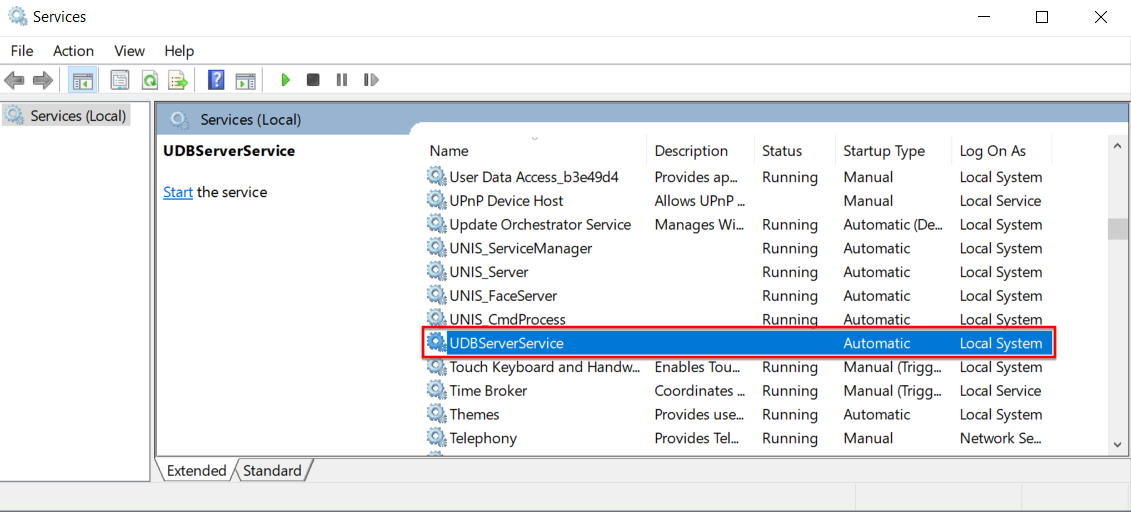
3. Go to the Unis installation folder and copy the UNIS.MDB file to your desktop.
4. You can log in into the Microsoft Database File after double clicking “UNIS.MDB” (Password is “unisamho”)
The master (admin) password for UNIS is stored in the “tConfig” table in the DB. Change the master password and save the file.
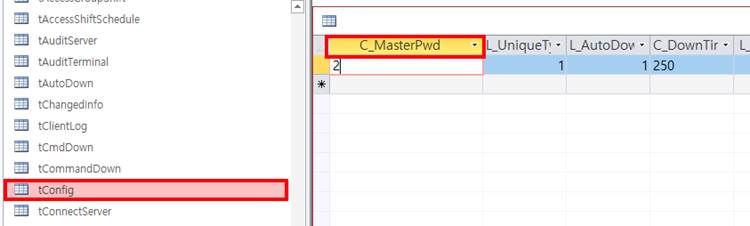
5. Copy the edited UNIS.MDB file back into the Unis installation folder, replacing the existing UNIS.MDB file.
6. In the services manager, right click on the UDBServerService and start it.
7. Log in to UNIS with your new password.