In some cases, you may need to install a camera further than 100M from the NVR. The I and K series POE NVRs support extending POE transmission distance from 100M to 250M with CAT5e cable or 300M with CAT6 cable.
For V3 recorders, go to Menu- Camera > Camera > POE configuration and select on for the cameras connected with a long network cable.
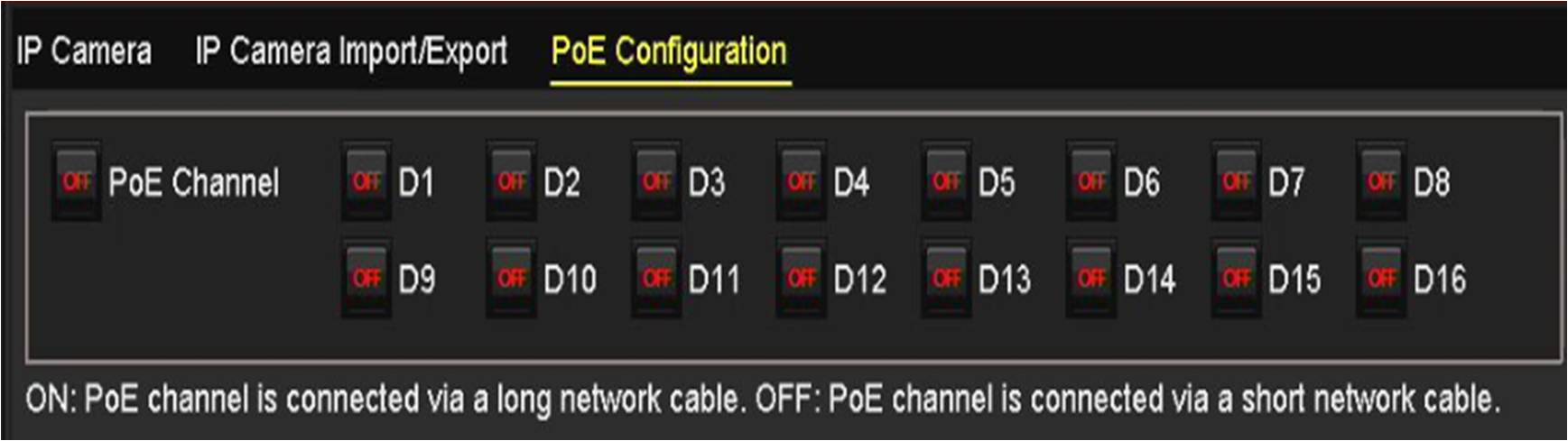
For V4 recorders, go to Go to Camera > Camera >PoE Settings and select Long Distance for the cameras connected with a long network cable.

Important note: When enabling the enhanced POE function, the maximum bitrate of the port will be reduced to 10Mbps. It is recommended that the camera's bitrate is set to 6Mbps to allow for any spikes in bandwidth due to changes in the scene. When bitrate is changed, the image quality may be affected.
If the camera power consumption is less than 8W and it supports POE, we can say it most likely will support enhanced POE connection with the NVR.
Please check the tested report attached as your reference. The models we listed in this report will be 100% sure to support enhanced POE and for other models, we may need to test it here.