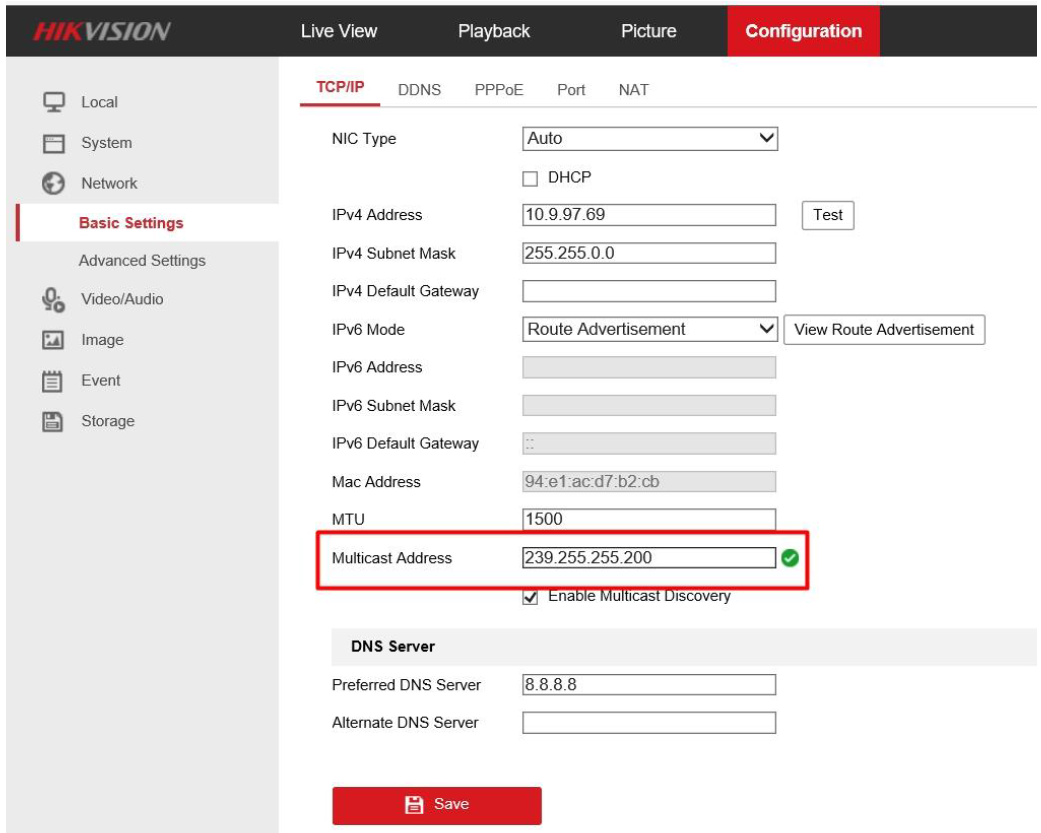
1. Set multicast address
Go to [Configuration]-[Network]-[Basic Setting]-[TCP/IP] to set multicast address, range of multicast address is from 224.0.0.0 to 239.255.255.255.
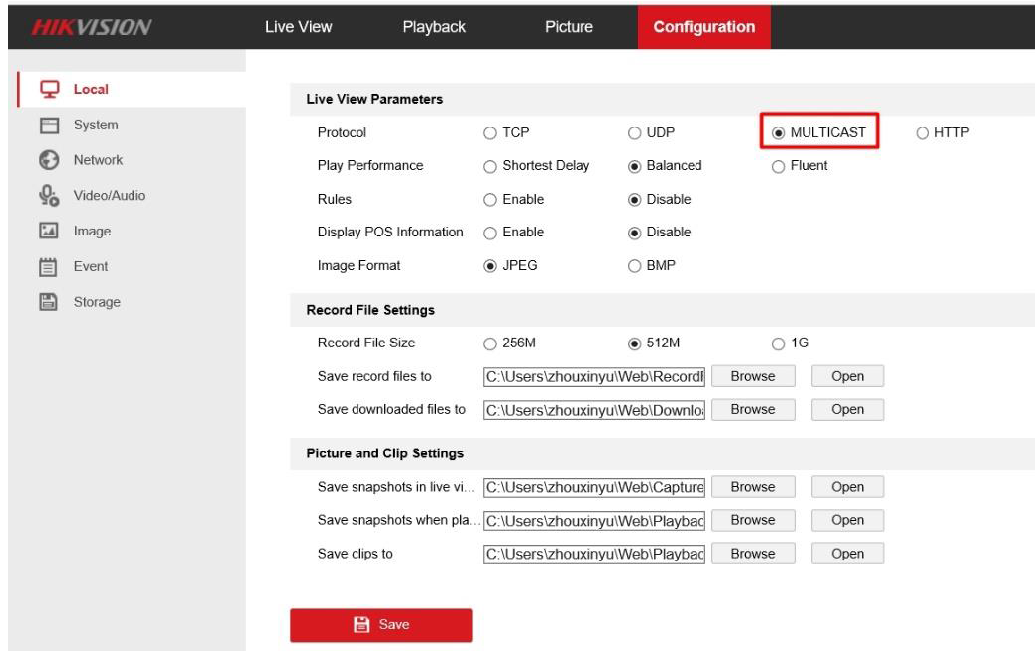
2. Set live view protocol
Go to [Local]-[Live View Parameters] and select MULTICAST as live view protocol
3. Start Live View

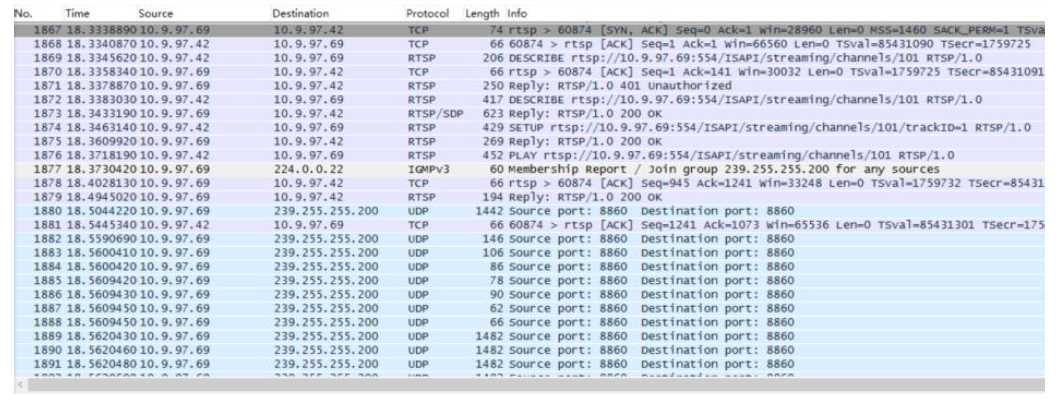
In terms of devices interaction, multicast protocol is only used to get stream during live view; otherwise the same as TCP/UDP.
Capture the package on Wireshark. It indicates that IP camera has joined in the multicast group and stream to the multicast address.
PC IP: 10.9.97.42, IP camera IP: 10.9.97.69, Multicast IP: 239.255.255.200